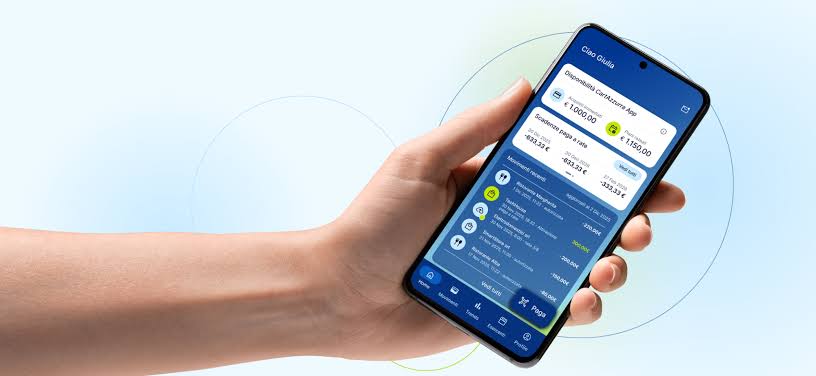
Paying for parking in San Marino directly from a smartphone, without cash or physical cards, is now possible thanks to a new feature introduced on CartAzzurra App, developed through a partnership between the Cassa di Risparmio della Repubblica di San Marino (the Republic’s savings bank) and the Secretariat of State for Tourism.
The new service allows users to manage several parking-related operations through a single application. Drivers will be able to start and pay for parking in metered areas, settle payments at barrier-controlled car parks by scanning the barcode on their ticket, and renew parking subscriptions.
“Users can now carry out the main parking-related operations directly from their smartphone, without using cash or physical cards,” the statement reads. The stated goal is to simplify parking for residents, workers and visitors alike, while expanding the range of digital services available across the country.
For Cassa di Risparmio, the introduction of parking payments marks a further step in the evolution of CartAzzurra App. “The Bank continues to invest so that the app can progressively become a gateway to a growing number of services useful to the community – a platform that is simple, secure and deeply rooted in the San Marino territory,” the note states.
The Secretariat of State for Tourism also highlighted how the new system broadens the available payment options and makes accessing parking facilities easier. “The integration with CartAzzurra App is part of a broader path of innovation and digitalisation of mobility and parking services, aimed at offering increasingly simple solutions tailored to users’ needs,” the statement reads.
The app already allowed payments at businesses within the CartAzzurra network, along with various features for managing expenses. With this update, a new section dedicated to the Republic’s parking facilities has been added.
To use the service, users must have the latest version of CartAzzurra App installed. Once the app is open, the new feature can be accessed by selecting “Parcheggi” (“Parking”) in the bottom menu bar. Those who have not enabled automatic updates will need to manually update the app via the App Store or Google Play.